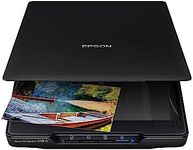
Buying Guide for the Best Artwork Scanner Flatbed
When choosing an artwork scanner, particularly a flatbed scanner, it's important to consider the specific needs of your art projects. Flatbed scanners are ideal for scanning a variety of media, including paintings, drawings, and photographs, due to their ability to handle different sizes and types of materials. The key is to find a scanner that balances quality, speed, and ease of use, ensuring that your digital reproductions are as true to the original as possible. Understanding the key specifications will help you make an informed decision that aligns with your artistic requirements.ResolutionResolution is measured in dots per inch (DPI) and indicates the level of detail the scanner can capture. Higher DPI means more detail, which is crucial for artwork where fine details matter. For general artwork scanning, a resolution of 600 DPI is often sufficient, but for highly detailed or large pieces, you might want to consider 1200 DPI or higher. Choose a resolution based on the level of detail you need to capture in your artwork.
Color DepthColor depth, measured in bits, determines how many colors the scanner can capture. A higher color depth means more accurate color reproduction, which is essential for artwork. Most scanners offer 24-bit color depth, which is adequate for most purposes, but for professional-grade scans, 48-bit color depth is preferable. Consider the importance of color accuracy in your work when deciding on color depth.
Scan AreaThe scan area refers to the maximum size of the document or artwork that the scanner can handle. Standard flatbed scanners typically accommodate up to A4 or letter size, but larger models can handle A3 or even larger. If you frequently work with large pieces, ensure the scanner's bed is large enough to accommodate them without needing to scan in sections.
ConnectivityConnectivity options determine how the scanner connects to your computer or network. Common options include USB, Wi-Fi, and Ethernet. USB is reliable for direct connections, while Wi-Fi and Ethernet offer more flexibility, allowing you to place the scanner anywhere within your network's range. Choose based on your workspace setup and how you prefer to transfer scanned images.
Software CompatibilityThe software that comes with the scanner or is compatible with it can greatly affect your scanning experience. Look for scanners that offer robust software with features like color correction, image editing, and file management. Ensure the software is compatible with your operating system and meets your workflow needs, especially if you require specific editing capabilities.
SpeedScanning speed is measured in pages per minute (PPM) or seconds per page and indicates how quickly the scanner can process images. While speed is less critical for artwork than for document scanning, it can still be a factor if you need to scan multiple pieces in a short time. Consider how often you scan and whether speed is a priority for your workflow.