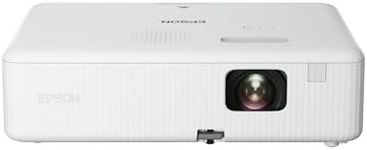
Buying Guide for the Best Business Projector
Choosing the right business projector involves understanding your specific needs and the environment in which you'll be using it. Consider factors like the size of the room, the type of presentations you'll be giving, and the level of portability you require. A good projector should deliver clear, bright images and be easy to set up and use. It's important to balance features with your actual requirements to ensure you get the best value and performance for your business presentations.Brightness (Lumens)Brightness, measured in lumens, determines how well a projector can display images in different lighting conditions. Higher lumens mean brighter images, which is crucial for presentations in well-lit rooms. For small, dimly lit rooms, 2000-3000 lumens may suffice, while larger or brighter rooms might require 3000-5000 lumens or more. Consider the typical lighting conditions of your presentation environment to choose the right brightness level.
ResolutionResolution refers to the number of pixels that make up the image displayed by the projector. Higher resolution means sharper and more detailed images. Common resolutions include SVGA (800x600), XGA (1024x768), and HD (1920x1080). For text-heavy presentations, higher resolution is beneficial to ensure clarity. If your presentations include detailed graphics or videos, opt for a higher resolution like HD or even 4K for the best image quality.
Contrast RatioContrast ratio is the difference between the darkest and brightest parts of an image. A higher contrast ratio means more vibrant colors and deeper blacks, which enhances image quality. For business presentations, a contrast ratio of at least 2000:1 is recommended, but higher ratios like 5000:1 or more can provide better image depth and detail, especially in darker environments.
PortabilityPortability is important if you need to move the projector between different locations. Portable projectors are lightweight and compact, making them easy to transport. Consider the weight and size of the projector if you frequently travel for presentations. If portability is not a concern, larger models may offer more features and better performance.
Connectivity OptionsConnectivity options determine how you can connect your projector to other devices. Common connections include HDMI, VGA, USB, and wireless options like Bluetooth or Wi-Fi. Ensure the projector has the necessary ports to connect to your laptop, tablet, or smartphone. Wireless connectivity can offer more flexibility and ease of use, especially in modern business environments.
Lamp LifeLamp life indicates how long the projector's lamp will last before needing replacement. Longer lamp life means less frequent replacements and lower maintenance costs. Typical lamp life ranges from 2000 to 5000 hours, but some models offer extended lamp life up to 10,000 hours or more. Consider how often you'll use the projector to determine the importance of lamp life in your decision.